Quick Start
In this section, we introduce how to setup the web render of the XRViewer.
The web viewer is developed using Babylon.js and packaged into a React application utilizing Create React App. There are two ways to setup the viewer, namely the production mode and the development mode. To deploy the viewer without modifying its features, the production mode is recommended. Otherwise please setup the viewer in the development mode.
Production Build
For the production build, the web viewer is compiled into a static web page. You can just simply run the viewer with the python HTTP server for testing or docker image for deployment.
Run with Python HTTP Server
Download and unzip the pre-built package from the release page. Then, deploy the server using:
# setup variables
WEB_PATH="PATH/TO/PRE-BUILT/PACKAGE/"

# deploy the server
python -m http.server -d $WEB_PATH 3000
Run with Docker Image
Download the docker image for the web viewer:
docker pull openxrlab/xrviewer_runtime:nginx_web
Setup the web deployment config under configs/web.cfg:
PORT=3000 # port to be exposed to visit the web page
Run the docker image with the config:
sudo sh scripts/run_web_docker.sh configs/web.cfg
Development Build
Install Dependencies
The viewer source files are located at xrviewer/web. The package.json contains dependicies to build the viewer, which can be installed using Node Package Manager(npm). It’s suggested to manage Node.js installations with Node Version Manager(nvm). The installation instructions of nvm can be found here.
The viewer is built using Node.js 18.15. Once you have Node.js correctly configured, install node packages:
# make sure that your current working directory is xrviewer/web
cd xrviewer/web

# install node packages using configuration in package.json
npm install
Run Viewer
Build and run the viewer using run_viewer in tools/:
# Windows
tools/start_viewer_dev.bat

# Linux
sh tools/start_viewer_dev.sh
To create a viewer window, open the browser and visit http://localhost:3000/:
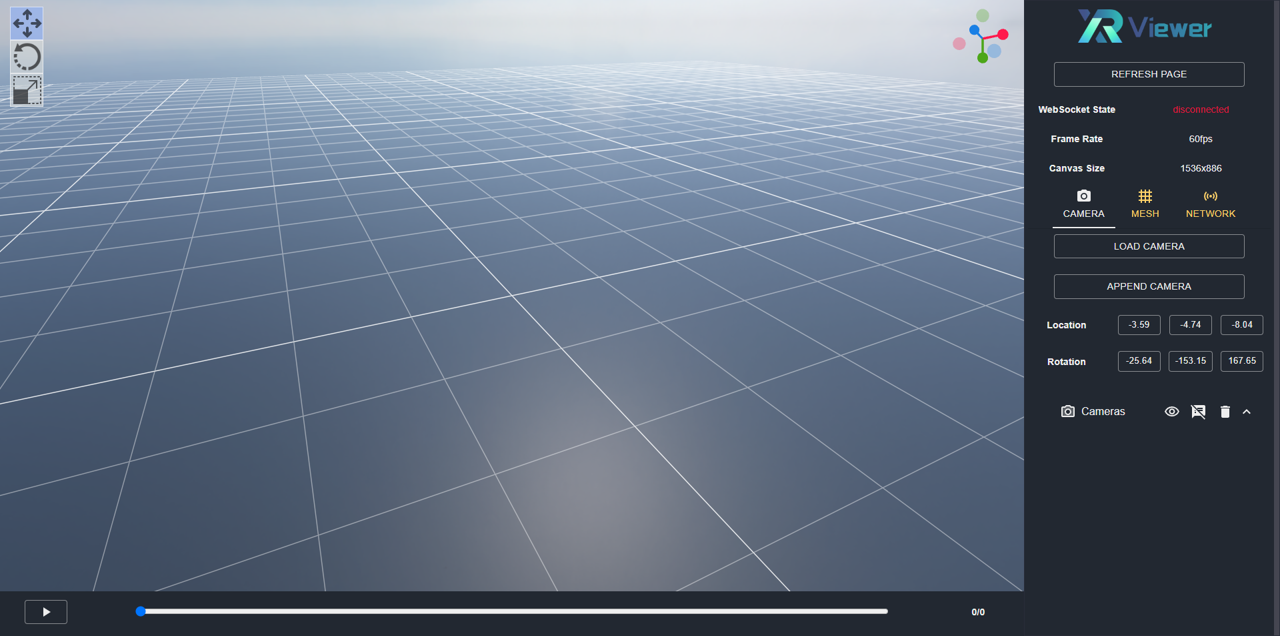
For example usage of the viewer, please refer to basic_usage.md.